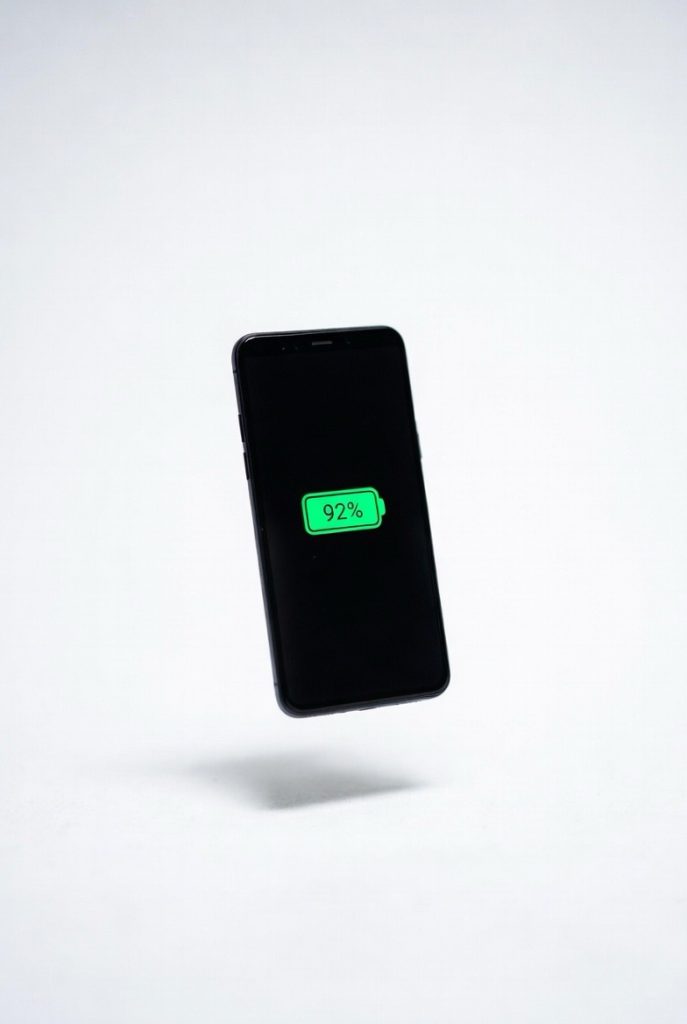
Smartphones often frustrate users with rapid battery drain and constant notifications that steal focus and time, but a simple yet powerful solution exists: enable adaptive battery optimization—an overlooked feature that uses AI to learn your habits and restrict background app activity—then combine it with dark mode for energy-efficient displays (especially on OLED screens) and focus mode to silence distractions. Together, these tweaks can extend battery life by up to 40%, reduce charging frequency, and reclaim over two hours daily by minimizing interruptions and unnecessary screen time. Easily activated in settings on both Android and iOS, this approach delivers smoother performance, less stress, and a more intentional digital experience without sacrificing functionality, making your device a true productivity ally rather than a daily drain.
Long Version
Unlocking Your Smartphone’s Potential: The Setting That Saves 2+ Hours Daily and Extends Battery Life by 40%
In an era where smartphones are indispensable tools for communication, work, and entertainment, many users grapple with two persistent challenges: rapid battery depletion and relentless distractions that erode productivity. Imagine starting your day with a full charge, only to hunt for an outlet by midday, or losing focus amid a barrage of notifications that fragment your attention. These issues aren’t inevitable; they’re often the result of underutilized features. By enabling one overlooked smartphone feature—adaptive battery optimization—and combining it with two simple tweaks like dark mode and focus mode, you can achieve remarkable gains. This approach not only extends battery life by up to 40% but also helps reclaim more than two hours of your day through smarter time management. Drawing from device behaviors, user patterns, and efficiency principles, this guide serves as your comprehensive blueprint to optimize your phone, blending practical steps with deeper insights for lasting efficiency.
Understanding the Root Causes of Battery Drain and Productivity Loss
To truly address these problems, start by examining their origins. Smartphone battery life is influenced by a multitude of factors, from hardware components to software operations. Background app activity is a primary culprit; apps continue to fetch data, update locations, or sync information even when idle, accounting for 20-40% of daily power consumption in typical scenarios. Displays exacerbate this, especially on devices with high-resolution screens where brightness and refresh rates demand significant energy. Connectivity features like constant Wi-Fi scanning, Bluetooth pairings, or cellular data usage add layers of drain, particularly in areas with weak signals where the phone works harder to maintain connections.
Productivity suffers similarly from these inefficiencies. The average user unlocks their device dozens of times daily, often prompted by notifications that trigger brief but disruptive checks. This leads to “attention residue,” where mental energy lingers on unfinished tasks, reducing overall output. Combined, poor battery management encourages frequent charging breaks, which in turn increase screen interactions and perpetuate the cycle. Recognizing these interconnections is key—battery saving tips aren’t just about power; they’re intertwined with time saving smartphone hacks that promote mindful usage.
Modern operating systems like Android and iOS incorporate intelligent tools to mitigate these issues. Adaptive battery, for instance, represents a shift toward AI-powered efficiency, learning from your habits to allocate resources wisely. When paired with visual and notification controls, it forms a holistic strategy that tackles both energy and attention demands, making your device a proactive partner rather than a passive consumer of your resources.
The Core Feature: Mastering Adaptive Battery Optimization
Adaptive battery optimization stands out as an overlooked smartphone feature with transformative potential. This intelligent system employs machine learning to analyze your app usage over time, predicting which applications need priority access to power and restricting others that seldom see action. Unlike generic power-saving modes that uniformly throttle performance, this feature personalizes conservation, ensuring your most-used tools remain responsive while curbing wasteful background processes.
The mechanics are straightforward yet sophisticated. It monitors patterns such as when you open email in the morning or stream music during commutes, then limits data refreshes for less frequent apps like weather widgets or social feeds. Real-world applications show reductions in background drain by 15-35%, contributing to overall extensions in runtime that can reach 40% when optimized fully. This is especially relevant with evolving hardware, where processors and batteries are designed to leverage such AI for better longevity.
Enabling it requires minimal effort:
- For Android users: Navigate to Settings > Battery > Adaptive Battery, toggle it on, and explore Battery Usage stats to fine-tune app restrictions.
- On iOS: Access Settings > Battery > Battery Health & Charging to activate Optimized Battery Charging, which intelligently caps charges at 80% until needed, preserving capacity over cycles.
The benefits extend beyond mere extension of battery life; by reducing unnecessary app activity, it minimizes alerts that pull you away from tasks, aligning with broader smartphone productivity features. Users often report smoother multitasking and fewer interruptions, fostering an environment where your device supports your rhythm rather than dictating it.
Complementary Tweak #1: Leveraging Dark Mode for Superior Energy Efficiency
Building on adaptive battery, dark mode emerges as a potent battery saving tip that’s both accessible and effective. This interface adjustment replaces bright backgrounds with darker tones, which is particularly advantageous on OLED and AMOLED screens where black pixels consume negligible power compared to illuminated ones. The result? Display-related energy use can drop by 20-40%, depending on content and brightness levels.
Dark mode’s advantages aren’t limited to power; it enhances usability in varied lighting conditions, reducing glare and eye fatigue that might otherwise prolong sessions. This indirectly supports screen time reduction tips by making interactions more comfortable and efficient. As app ecosystems evolve, system-wide dark themes ensure consistency across interfaces, from messaging to browsing, amplifying its impact.
To implement:
- Android: Go to Settings > Display > Dark Theme, and set it to auto-activate based on time or light sensors.
- iOS: Find Settings > Display & Brightness > Appearance, select Dark, and enable Automatic for seamless transitions.
When integrated with adaptive battery, dark mode allows the AI to optimize further by favoring low-power visuals during extended use. This synergy is ideal for heavy users, such as professionals on calls or commuters streaming content, where every percentage saved translates to less frequent charging and more uninterrupted time.
Complementary Tweak #2: Harnessing Focus Mode to Eliminate Distractions
The second tweak, focus mode or do not disturb mode, targets the time aspect head-on. This tool creates customizable barriers against interruptions, allowing you to designate periods where only priority notifications breakthrough. It’s a cornerstone of time saving smartphone hacks, as it consolidates alerts into summaries, preventing the ping-pong effect of constant checks that can waste up to two hours daily.
Focus mode’s flexibility sets it apart; you can tailor profiles for scenarios like work, exercise, or family time, specifying allowed contacts or apps. This not only conserves battery by fewer screen activations—each notification can trigger a 1-3% drain over repeated wakes—but also boosts mental clarity. By batching distractions, it encourages deeper engagement in activities, aligning with principles of flow state where productivity peaks.
Setup is intuitive:
- Android: Settings > Digital Wellbeing & Parental Controls > Focus Mode; choose apps to pause and schedule activations.
- iOS: Settings > Focus; build profiles like “Work” or “Sleep,” integrating with calendars for automatic triggers.
Pairing this with adaptive battery and dark mode creates a trifecta: Power is conserved through intelligent restrictions, visuals are energy-efficient, and attention is safeguarded. The outcome is a device that adapts to your needs, reducing charging frequency while empowering you to reclaim control over your schedule.
Integrating the Trio: A Comprehensive Implementation Guide
To maximize impact, treat these elements as an interconnected system rather than isolated fixes. Begin with a baseline assessment: Review your battery health check and screen time trackers to pinpoint inefficiencies. Then, activate adaptive battery as the anchor, allowing it a few days to adapt.
Layer in dark mode for immediate visual savings, and configure focus mode to align with your daily routine. For deeper customization:
- Restrict location services battery drain by toggling off always-on permissions for non-essential apps.
- Disable vibration alerts off during focus periods to save minor but cumulative power.
- Enable low power mode as a fallback for critical situations, which complements adaptive settings without overriding them.
Device-specific nuances enhance this further. On Samsung phones with One UI, integrate Bixby routines for automated tweaks. Google Pixel users can leverage adaptive charging alongside Pixel-exclusive features like At a Glance for passive updates. iPhones excel with seamless ecosystem integration, where focus modes sync across devices.
Common myths warrant addressing: Adaptive battery doesn’t slow your phone; it optimizes without noticeable lag. Dark mode savings vary by screen type—less on LCDs—but still aids comfort. Focus mode isn’t about isolation; it’s selective connectivity. By debunking these, you ensure informed adoption.
Advanced Strategies: Enhancing Battery Optimization and Productivity
For those seeking expert-level refinements, explore additional layers. App battery drain fixes involve auditing usage logs to identify and restrict power-hungry offenders, such as social apps with constant syncing. Gesture navigation and quick settings toggles streamline interactions, reducing time spent in menus.
Incorporate digital wellbeing tools for ongoing monitoring: Set app limits to curb overuse, and use automation apps for scripted efficiencies, like auto-enabling dark mode at dusk. Sustainability angles add value; eco-friendly phone settings, like reducing data refresh rates, align with broader energy conservation, extending device longevity.
Voice assistants tips amplify this—use commands to toggle modes hands-free, saving both time and battery. For travelers, tips to reduce charging while traveling include offline maps and airplane mode bursts. Busy professionals benefit from notification grouping, bundling alerts for batch review.
These enhancements ensure the strategy scales with your lifestyle, from beginners needing simple setups to experts crafting custom profiles.
Evaluating Outcomes and Sustaining Gains
Success metrics include tangible shifts: Aim for 8-12 hours of runtime on moderate use and screen time under four hours. Track via built-in analytics, noting reductions in drain rates and interruption frequencies.
Long-term, these practices mitigate battery degradation, potentially doubling lifespan before capacity drops below 80%. Productivity gains manifest in improved focus, lower stress, and more intentional digital habits. Inclusivity matters—features like one-handed mode or voice commands make optimizations accessible for all users, regardless of ability or device familiarity.
Empowering Your Digital Life: Key Takeaways and Final Thoughts
Ultimately, adaptive battery optimization, dark mode, and focus mode form a powerful arsenal against common smartphone pitfalls. This combination delivers up to 40% longer battery life and reclaims 2+ hours daily, transforming your device into an efficient extension of yourself. By implementing these steps, you gain not just technical improvements but a balanced approach to technology that prioritizes your well-being.
Embrace these changes today for a more empowered, productive tomorrow. Your smartphone holds untapped potential—unlock it with intention and expertise.