
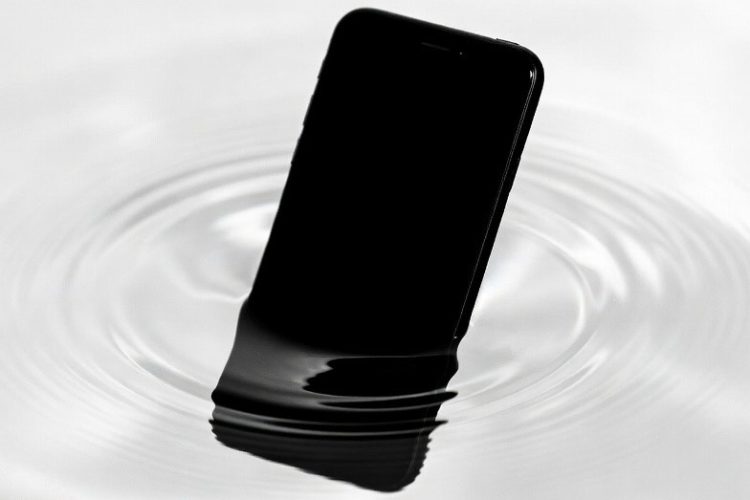
iOS 26, released in September 2025, has disappointed many iPhone users with its ambitious Liquid Glass design, which introduces shimmering animations and translucency that often reduce readability, cause eye strain, and even mild nausea, while adding lags on older devices. Performance issues like noticeable battery drain, overheating, and slowdowns in app switching and scrolling have become common complaints, particularly when Apple Intelligence features are enabled. Persistent iOS 26 bugs—including app freezes, keyboard glitches, connectivity drops, and inaccurate notification summaries—combined with usability regressions that require extra taps for basic tasks, have eroded the seamless experience Apple is known for. Adoption rates remain low at 15–25% in early 2026, far below previous updates, reflecting widespread hesitation. While patches like iOS 26.2 and 26.3 have brought improvements and accessibility settings can mitigate some problems, many users still find the update prioritizes flashy changes over everyday reliability, leading some to delay upgrading or seek workarounds to restore smoother performance.
Long Version
Why iOS 26 Has Emerged as a Significant Disappointment for Many iPhone Users
If you’re among the millions of iPhone owners hesitating to update to iOS 26, your caution might be well-founded. Launched in September 2025 with promises of a revolutionary “Liquid Glass” interface and advanced Apple Intelligence features, this update was positioned as a bold leap forward. Yet, months later in early 2026, it has garnered a reputation as a notable iOS 26 flop, with adoption rates lingering between 15% and 25% globally—far below the 60-80% seen with predecessors like iOS 18 at similar stages. This sluggish uptake stems from a mix of design controversies, performance setbacks, and lingering bugs that have left users frustrated. While some defend the numbers as potentially inflated by reporting flaws, the outpouring of real-world complaints paints a picture of an update that prioritizes novelty over polish.
In this comprehensive exploration, we’ll dissect the core iOS 26 problems from multiple perspectives, blending user insights with technical breakdowns to offer balanced, actionable guidance. Whether you’re deciding on the upgrade or seeking ways to mitigate issues, understanding these nuances can help reclaim a smoother experience.
Unpacking the Liquid Glass Design: Innovation or Distraction?
Central to the iOS 26 backlash is Liquid Glass, Apple’s translucent, adaptive UI framework intended to create a more immersive, depth-filled experience. Featuring layered animations, shimmering effects, and contextual blurring, it transforms elements like the Lock Screen, Home Screen, and app interfaces into a fluid, glass-like aesthetic. On paper, this evolution aims to make interactions feel more natural and integrated with the device’s hardware.
However, for a substantial portion of users, Liquid Glass has proven more hindrance than help. Common grievances include reduced readability, where text blends into backgrounds, causing eye strain or even mild nausea during extended sessions—particularly in apps like Safari or Apple Music. The shimmering animations, while visually striking on high-end models like the iPhone 17 series, introduce micro-stutters and lags on older devices, making the interface feel restless and imprecise. Critics argue it deviates from Apple’s minimalist roots, replacing clarity with unnecessary flair that demands extra mental effort to navigate.
Not all feedback is negative; some appreciate the customization options, such as tinting layers or adjusting opacity, which allow tailoring for better contrast. Yet, the absence of a simple toggle to disable Liquid Glass entirely leaves many feeling trapped in a “gaudy” redesign. To address iOS 26 UI changes that feel overwhelming:
- Navigate to Settings > Accessibility > Display & Text Size to enable Increase Contrast and Reduce Transparency, which tones down the effects without fully reverting.
- For motion-sensitive users, toggle Reduce Motion to minimize animations, restoring a sense of stability.
This design shift underscores a broader debate: does pushing boundaries enhance usability, or does it alienate loyal users? While Liquid Glass ties into 2026 trends like adaptive interfaces, its execution has fueled perceptions of iOS 26 as the worst update in recent memory for accessibility and intuitiveness.
Performance Challenges: Battling iOS 26 Slowdowns and Battery Issues
A recurring theme in user reports is degraded performance post-update, with iOS 26 slow behavior and battery drain topping the list of complaints. On devices ranging from the iPhone 13 to newer models, users describe noticeable lags in app switching, scrolling, and animations—exacerbated by the resource-intensive Liquid Glass rendering.
Battery life has emerged as a particularly sore point, with some experiencing 20-40% faster depletion compared to prior versions. Factors include background AI processing from Apple Intelligence and inefficient optimization for the new UI elements. Overheating during routine tasks like streaming or multitasking further compounds the issue, especially on older hardware where iOS 26 seems to accelerate perceived obsolescence. Not everyone faces this; a subset of users on optimized setups, like the iPhone 16 Pro with iOS 26.2, report stable or even improved endurance, suggesting variability based on device age and usage patterns.
To counteract iOS 26 battery drain:
- Enable Adaptive Power Mode (available on select models) via Settings > Battery to dynamically adjust performance.
- Limit background app refresh for power-hungry apps and monitor usage stats to identify culprits.
- Perform a clean restart or reset network settings if overheating persists, as these can clear temporary glitches.
These performance woes highlight a potential trade-off in Apple’s aggressive feature integration, where ambition sometimes outpaces refinement. Balancing this, patches like iOS 26.3 betas show promise in smoothing out lags, indicating ongoing efforts to address the slowdowns.
Persistent Bugs and Glitches: From Freezes to Functional Regressions
iOS 26 bugs have been more prevalent and varied than in recent updates, turning what should be seamless experiences into sources of irritation. Users frequently cite freezes during app launches, unresponsive keyboards that skip inputs or hide cursors, and connectivity hiccups like Wi-Fi drops or Bluetooth instability. CarPlay, in particular, has been labeled “glitchy and dangerous,” with intermittent failures posing risks during drives.
Other notable issues include:
- Notification summaries misgrouping alerts, leading to overlooked messages.
- Siri and Apple Intelligence features underperforming, with delayed responses or inaccurate interpretations—rendering tools like Visual Intelligence less reliable.
- Extra taps required for basic actions, such as sharing in Safari (now buried in sub-menus) or initiating calls from Contacts (redirecting to an intermediary page).
- Do Not Disturb inconsistencies, allowing random calls through despite settings.
These aren’t universal; some attribute them to rushed releases, while others note improvements in subsequent updates like iOS 26.2, which tackled UI regressions and background task failures. Still, the pattern of patches introducing new problems—such as gradient loading delays in apps—suggests a quality control shift, with users feeling like unwitting beta testers.
For troubleshooting iOS 26 freezing or crashes:
- Force quit problematic apps or restart the device to resolve transient issues.
- Update to the latest version, as betas often incorporate community-reported fixes.
- If all else fails, reset all settings (without data loss) to eliminate corrupted configurations.
This accumulation of glitches contributes to the narrative of iOS 26 as bloated software, where added complexity erodes the “it just works” reliability Apple once championed.
Usability Setbacks: Extra Steps and Broken Workflows
Beyond bugs, iOS 26 introduces subtle regressions that add friction to daily routines. Searching within apps now often delays results by a second, syncing across devices feels buggy and slower, and features like typing in multilingual setups (e.g., Hindi) falter with inconsistent punctuation. Replying to notifications requires more navigation, and the overall interface demands additional interactions—contradicting Apple’s efficiency ethos.
Accessibility concerns amplify this, with Liquid Glass’s low contrast affecting those with visual impairments and limited options for full customization. On the flip side, enhancements like custom ringtones and AI-driven reminders offer value for power users, providing glimpses of potential amid the frustrations.
To optimize workflows, explore hidden iOS 26 fixes in settings, such as disabling non-essential AI toggles to reduce overhead and streamline interactions.
Apple Intelligence: Potential Hindered by Implementation Flaws
Apple Intelligence, expanded in iOS 26 with features like Genmoji, Image Playground, and live translations, was meant to elevate the ecosystem. However, rollout delays and bugs—such as inaccurate summaries or resource-heavy processing—have tempered enthusiasm. Tied closely to Liquid Glass visuals, these tools sometimes exacerbate performance hits without delivering consistent benefits, leading some to view them as overhyped additions.
The Low iOS 26 Adoption Phenomenon: Sentiment and Statistics
Adoption data reveals a stark reality: rates as low as 15-16% in some analytics, though others peg it at 25%, with debates over methodological flaws in reporting. User sentiment, echoed in forums and social channels, points to regret over updates, with spikes in searches for “downgrade iOS 26” reflecting widespread dissatisfaction. Reasons include fears of instability on older iPhones and the hassle of reverting, limited by Apple’s signing windows.
For those contemplating avoidance, weigh compatibility—iOS 26 supports devices from iPhone 11 onward—but back up data before proceeding. If already updated and regretting it, timely downgrades to iOS 25 or earlier remain viable options.
Apple’s Evolving Response and Path Forward
Apple has rolled out iterative fixes, refining Liquid Glass opacity and bolstering stability in versions like 26.2 and 26.3 betas. This responsiveness suggests acknowledgment of the issues, potentially influenced by user feedback. Looking ahead, this experience may prompt a renewed focus on refinement in iOS 27, balancing innovation with reliability.
Final Thoughts: Navigating the iOS 26 Landscape
iOS 26 represents a ambitious pivot that, for many, has stumbled in execution—marked by Liquid Glass distractions, performance dips, persistent bugs, and usability hurdles. While not a universal failure, with some users enjoying enhanced features, the prevailing iOS 26 problems have driven low adoption and calls for accountability. If prioritizing stability, consider holding off or optimizing through settings; for explorers, embrace patches and tweaks. Ultimately, this update serves as a reminder that true progress lies in user-centric design, and Apple’s adjustments could yet turn the tide toward a more polished future.


